


Yes, you want more AI visibility.
But before that, how can you ensure AI describes your business accurately?
That’s the job of an llms.txt file.
It might be a new and even overly technical term for you.
Don’t worry, we will cover it in simple language, so you can learn what it does and how to set it up.
What is an llms.txt file?
An llms.txt file is a simple markdown file you put in your site’s root folder (https://example.com/llms.txt). It works as a reading list for AI tools like ChatGPT, Gemini, Claude, and Perplexity.
The llms.txt standard was proposed in September 2024 by Jeremy Howard, co-founder of Answer.AI, and the open specification is maintained at llmstxt.org. It’s a community proposal, not an official standard from any AI company.
With an llms.txt file, you highlight for AI tools the information about your business that they should focus on. This helps AI tools read your site more easily, as they go straight to your most important pages. The file itself is a curated list of links with short descriptions.
That makes it easier for them to pick the right page when a user asks about it. And when AI picks the right page, you have a better chance of getting recommended by ChatGPT and other AI tools.
This file is short and usually includes:
- A title
- A quick summary of what your site is about

- Links to your homepage and key landing pages
- A list of your main services or offerings
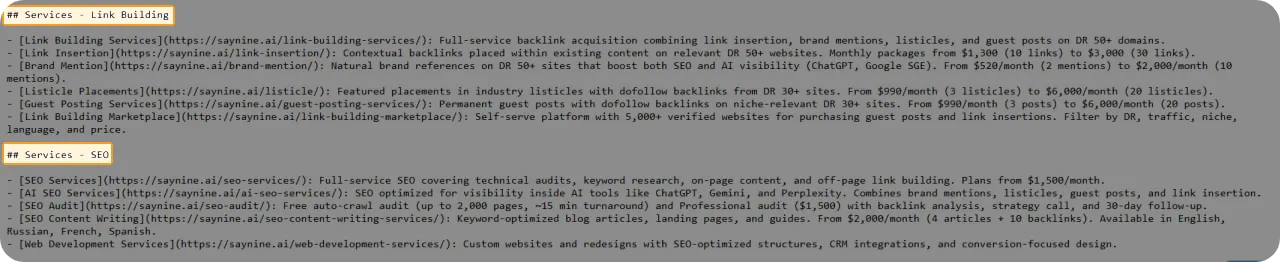
- Links to your blog or content hub
- Links to pricing or packages page (if available)
- Links to case studies or portfolio pages

The llms-full.txt is a more detailed version of the llms.txt file. Instead of just linking to pages, it puts all your content into one file, so AI gets the full text in one place.
Why Should You Care About llms.txt Files?
The adoption of llms.txt files is already growing. Hundreds of thousands of websites have published an llms.txt file, including major tech companies like Anthropic, Stripe, and Cloudflare.
Here are a few ways it may help improve how AI tools understand your website.
- It sends better signals to AI tools. The llms.txt file tells them which pages on your site matter most, so they don’t waste time on low-value ones.
- It helps AI understand your website’s content. A clear summary and structure tell AI what your site is about, which can improve your chances of showing up in AI Overviews and similar features.
- It shows your key information simply and clearly. AI gets your key content in clean, easy-to-read text.
Important note:
Major AI companies (OpenAI, Anthropic, Google) haven’t officially confirmed that they use llms.txt, so there’s no guarantee it directly boosts your visibility or citations.
In June 2025, Google’s Search Advocate, John Mueller, wrote on Bluesky:

FWIW no AI system currently uses llms.txt.
That remains broadly true into 2026. No major AI provider (OpenAI, Anthropic, Google, Perplexity) has officially confirmed using llms.txt as a citation signal, though some of their crawlers have been spotted fetching the files.
However, Anthropic, the company behind Claude, has llms.txt files on parts of its documentation sites, but it is not confirmed how they are used.
Our take is that the llms.txt file will not automatically improve LLM visibility. However, it will not harm your website and may help provide clearer guidance for AI systems in the future. It is also quick and easy to set up, so it is worth adding.
How to Create an llms.txt File
Now, if you consider adding the llms.txt file, our tips can help you. It’s one easy step you can take to support your wider AI SEO efforts.
Use free llms.txt generators
There are a few llms.txt generators that you can consider during that process.
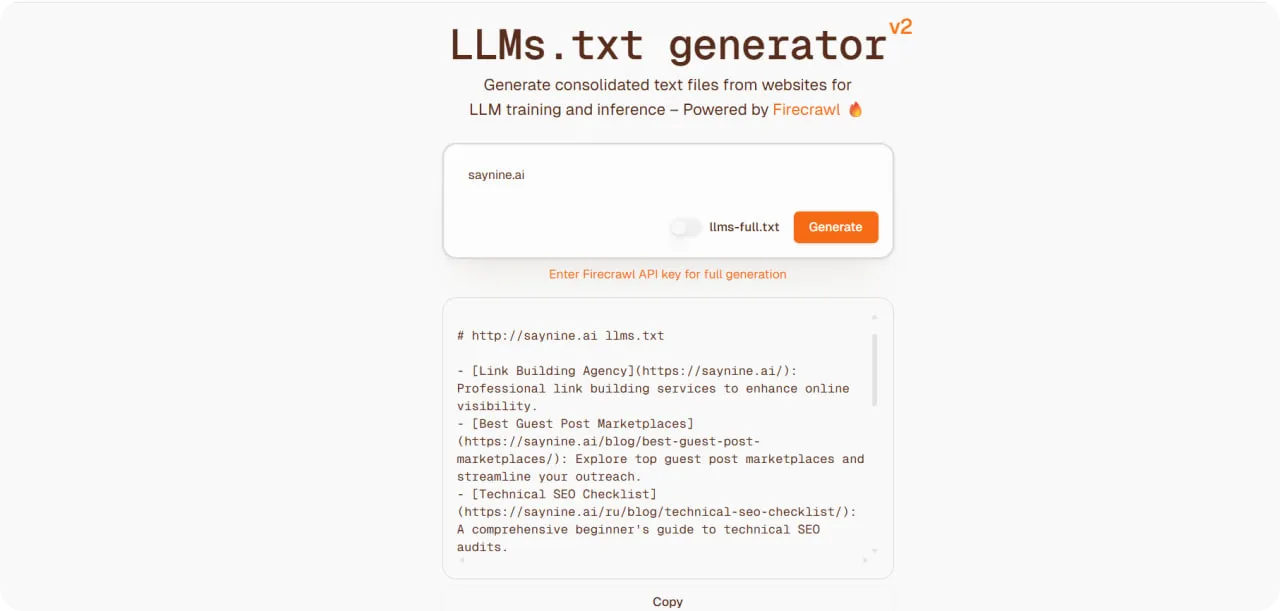
- Firecrawl: It offers an llms.txt generator that produces both llms.txt and llms-full.txt. There’s a free browser version, with an optional API key to lift crawl limits on larger sites.
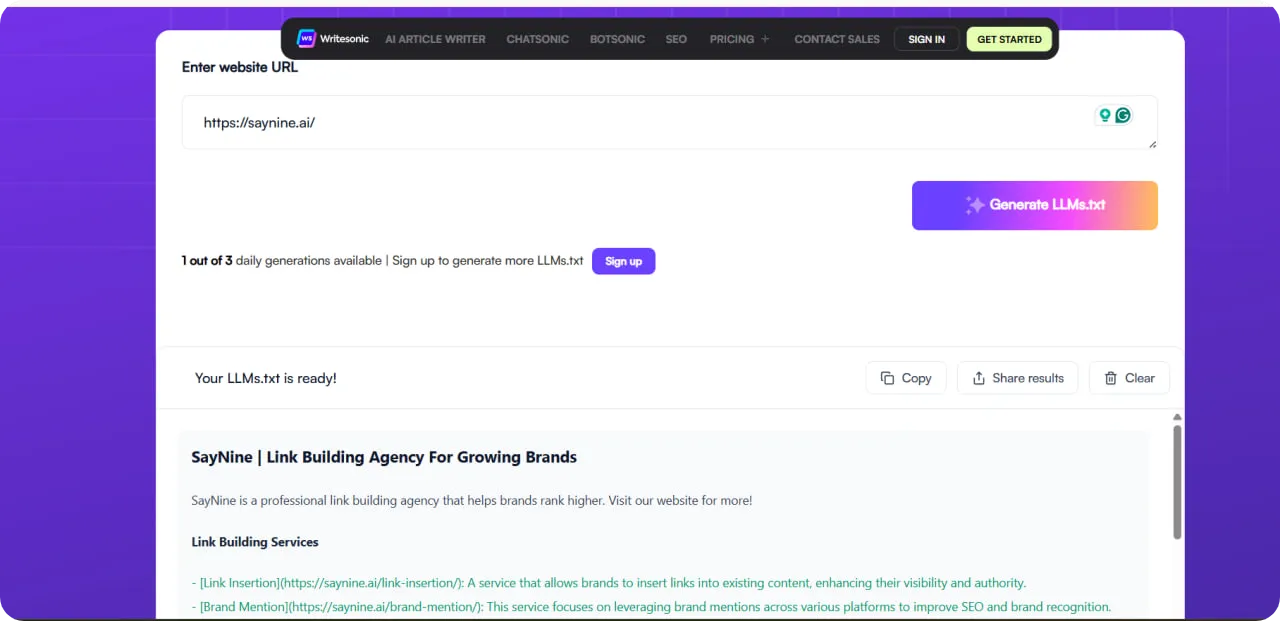
- Writesonic: The free llms.txt generator by Writesonic is easy to use. Here are a few steps you can take.
- Input your website URL & click “Generate Result”
- Copy or download the generated content.
WordLift: The WordLift llms.txt generator takes a different approach from the other tools. Instead of crawling listing URLs, it analyzes your content to prioritize your most important pages.
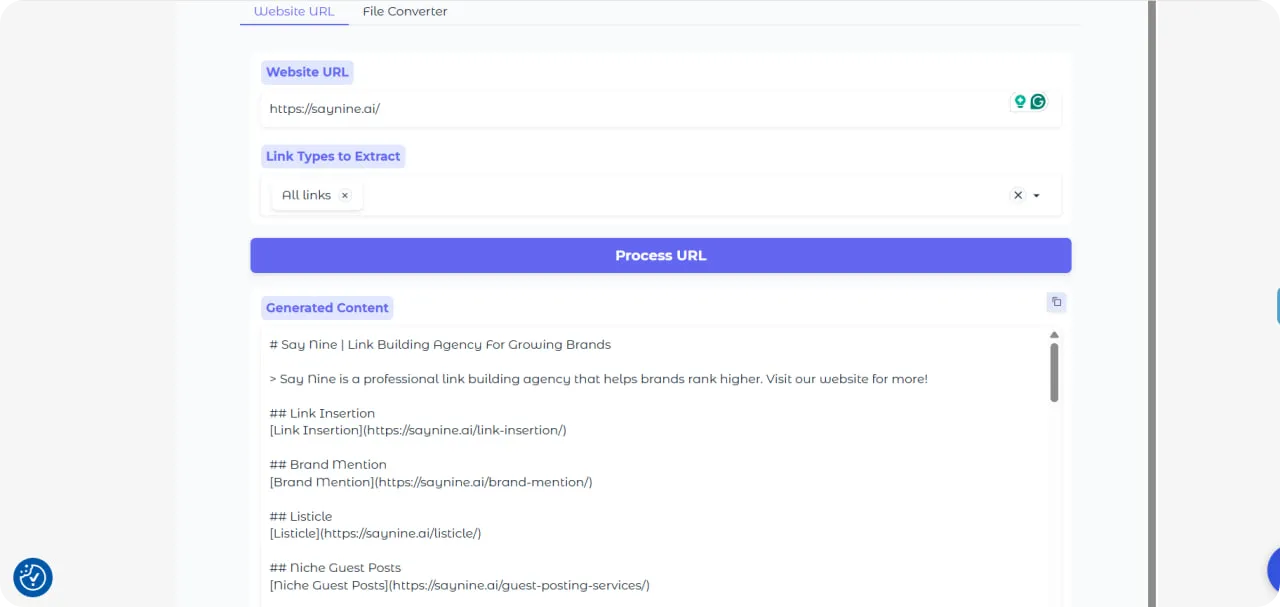
Try any of those tools and see which one gives you the best results.
Use AI tools
This step is somewhat symbolic: AI tools can help you create an llms.txt file so they can get accurate information about your business.
To create the llms.txt file for the SayNine website, we used Claude.ai. The first thing to do is write a detailed prompt. Here’s an example you can use.
Create an llms.txt file for [domain] following the official llms.txt specification.
Structure it as follows:
- H1: The site name
- Blockquote: A one-to-two sentence summary describing what [company] is and does
- (Optional) A short paragraph or two of additional context after the blockquote (no headings), if helpful for an LLM to understand the site
- Sections: Group key pages under
##headings such as## Documentation,## Guides,## Product, and (optionally)## Optionalfor lower-priority links
Formatting rules:
- Each link must use Markdown format:
[Page name](URL):one-sentence description - Write a clear, single-sentence description for every link explaining what the page covers
- Order sections and links by importance (most valuable first)
- Exclude low-value pages: tag archives, category pagination, author pages, search results, login/admin pages, and duplicate or thin content
- Keep descriptions factual and concise
Before writing, ask me for:
- The actual pages/URLs you want included (or permission to crawl/review the site), since I can’t invent real URLs
Then enter this prompt, and Claude will generate an llms.txt file for you.
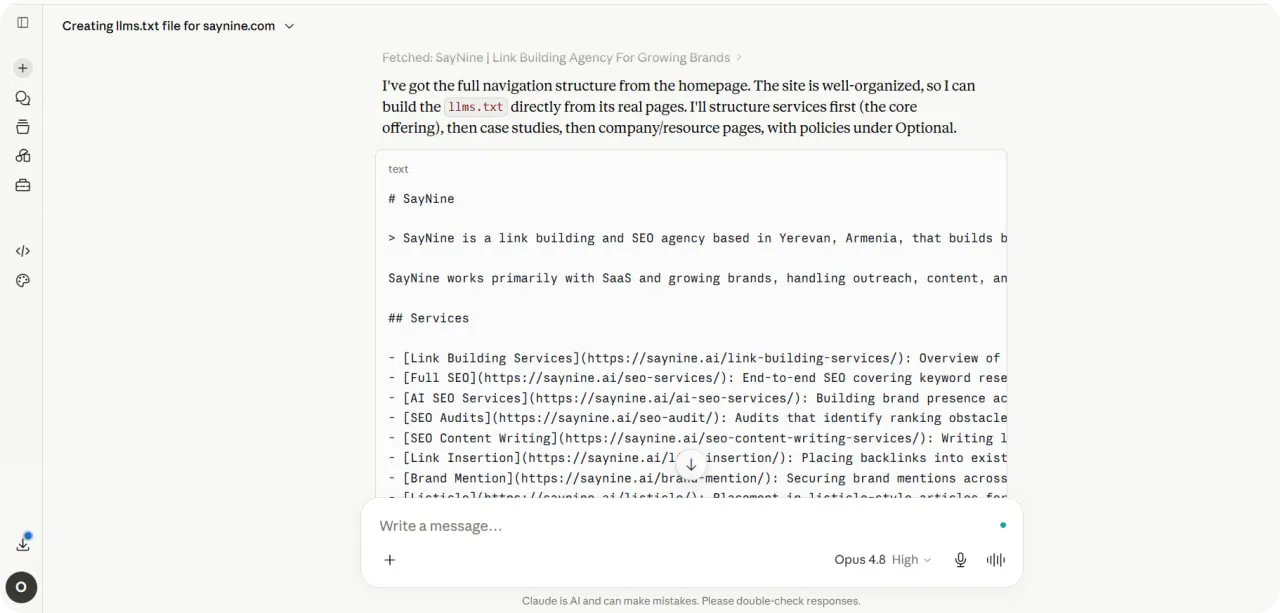
Once your llms.txt file is ready, your developers just need to upload it to your site’s root directory (e.g., yourdomain.com/llms.txt) so AI tools can find it.
Check your llms.txt file
Whether you used an llms.txt generator or Claude, as we did, make sure your file meets these criteria:
- Clear and specific. Each page description is one or two sentences that explain what the page covers. Keep it factual, with no promotional language.
- Up to date. Whenever you publish new content or restructure your site, update your llms.txt file so AI models don’t share outdated information about it.
- Properly formatted. Use the standard Markdown structure. Formatting mistakes can make some sections harder for AI tools to read.
- Keep it out of search results. Google’s John Mueller has suggested it can make sense to add a noindex directive to your llms.txt file. That way, if another site links to it, the raw text file won’t accidentally show up in Google search results, where it would be confusing for users.
To sum up
There is an active discussion around llms.txt files. We shared whether it’s worth adding one and how to set it up in an easy way.
Notably, in May 2026, Google added llms.txt to Chrome Lighthouse’s new “Agentic Browsing” audit, not as a ranking factor, but as an AI-readiness check, which is one more sign the standard is gaining more popularity.
But here is the truth you should know: you can’t achieve high AI visibility with just one step. It requires a series of actions, such as investing in listicles and building brand mentions. If you need help, consider investing in AI SEO services to improve your visibility in AI search results and answers.
Have any questions? Contact us, and our team will be happy to answer them.
FAQ about the llms.txt file
What are llms.txt files used for?
To help LLMs discover your content, create an llms.txt file that highlights your most important pages. It acts as a simple reading guide for AI tools and is usually written in Markdown.
What to do with the llms.txt file?
Use an llms.txt file to point AI tools to your website’s most valuable content. Include links to important pages, resources, products, or documentation that you want AI systems to understand and reference.
How to see the llms.txt file of a website?
To see an llms.txt file, add /llms.txt to the end of a website’s URL (for example, https://example.com/llms.txt). If the file exists, it will open in your browser as a plain-text page.