
Let’s admit it, link building isn’t a piece of cake. Finding the right sites, checking their quality, and reaching the right person all take time, and the right link building tools can make that much faster.
Today, it’s not just about Google, but also about showing up where AI search finds its answers. So we picked 10 tools for finding link opportunities and reaching out, and several of them now cover AI search too. You’ll find their key features, simple steps, and current pricing.
Link Building Tools Compared
| Инструмент | Лучше всего подходит для | Main use | Starting price |
|---|---|---|---|
| SayNine Free Tools | Free backlink gap reports and outreach email prep | Finding links and outreach prep | Бесплатно |
| Ahrefs | Backlink analysis and finding competitor link gaps | Finding links | From $29/mo (Ahrefs Free for verified sites) |
| Семраш | Teams that want backlink research, audits, and outreach in one SEO platform | Finding links and outreach | From $117.33/mo billed annually ($139 monthly) |
| Moz Pro | Link research and checking link quality with Spam Score | Finding links | Finding links From $49/mo |
| Majestic | Trust Flow and historic backlink data | Finding links | From $41.67/mo billed annually ($49.99 monthly), ex VAT |
| ListBrew | Getting your brand into listicles that AI search already cites | Finding links | From $49/mo |
| БаззСтрим | Running outreach campaigns from one CRM | Outreach | From $49/mo |
| Питчбокс | Agencies running prospecting and outreach at scale | Outreach | From $210/mo billed annually ($300/mo billed monthly for 1 yr) |
| Mailmeteor | Sending personalized outreach from Gmail and Google Sheets | Outreach | Free for up to 500 emails a month |
| Ментихант | Automated outreach that AI agents can work with | Outreach | From $49/mo |
10 Best Link Building Tools to Boost Website Performance
Is link building still worth it? The short answer is yes. Google still uses links to understand what pages are about and which ones might be most helpful, as its guide to ranking systems explains.
The tricky part is that link building needs a clear plan and the right tools for each step. Here are 10 that can help, from finding prospects to outreach.
SayNine Free Tools
Лучше всего подходит для: free backlink gap reports and outreach email prep.
SayNine’s free tools cover the two jobs that usually take the most time in link building: finding where competitors get their links, and making sure your outreach emails actually reach people. They’re all free, so they’re an easy place to start before you pay for anything.
Competitor Backlink Gap Report
Итоговый Competitor Backlink Gap Report compares your site with your top 2 competitors in either Google search or AI search.
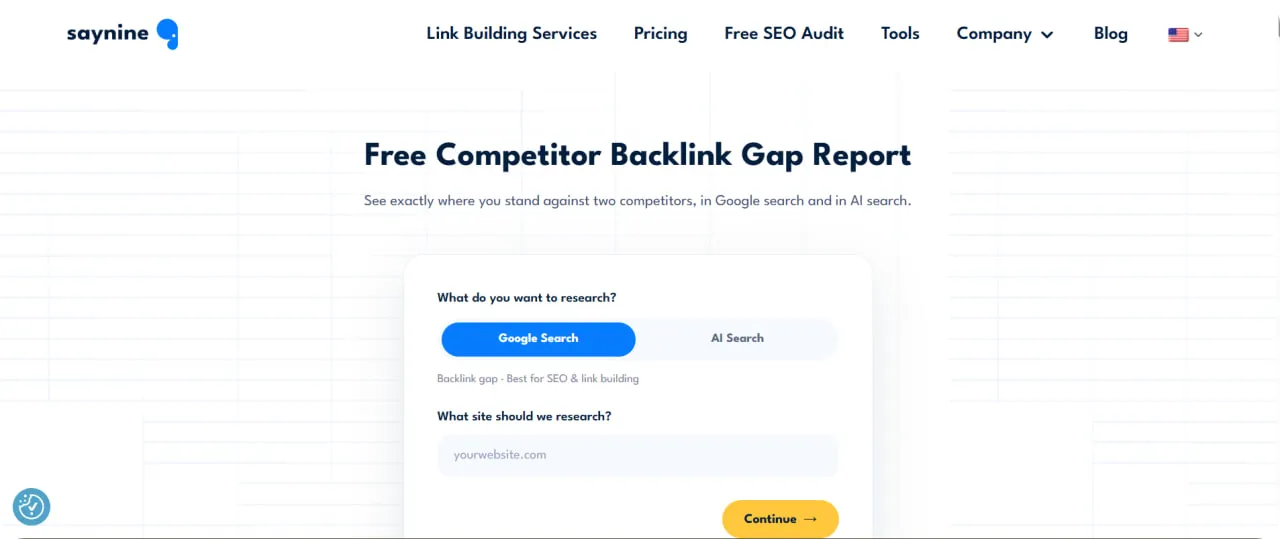
It lines up dofollow referring domains across DR tiers from 30+ to 80+ and shows how many links you’re missing in each, based on the last 3 months of data. The report arrives as a shareable Google Slides presentation, usually in 3 to 5 minutes.
Here’s how to use it:
- Шаг 1: Choose Google Search or AI Search.
- Шаг 2: Enter your website and check the 2 competitors it suggests.
- Шаг 3: Add your name and email, then open the report to see where competitors have links you don’t.
If you’d rather do it by hand, our competitor backlink analysis guide walks you through it.
Проверка dofollow ссылок
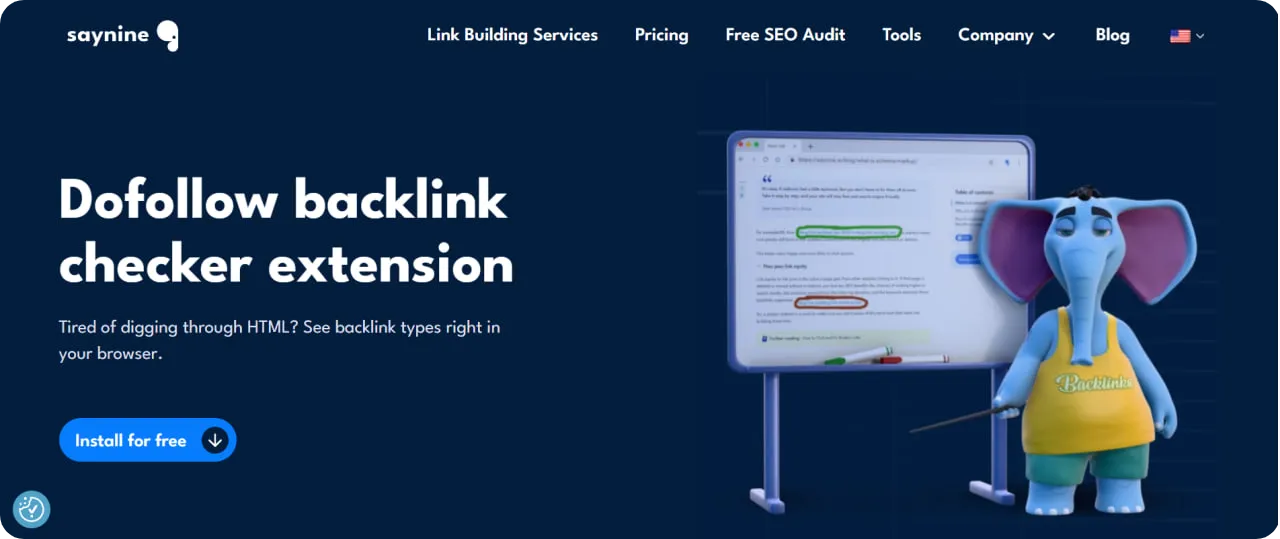
Итоговый Проверка dofollow ссылок is a free browser extension that highlights dofollow and nofollow links on any page as you browse, so you don’t have to dig through the HTML.
Here’s how to use it:
- Шаг 1: Install the extension in your browser.
- Шаг 2: Open any web page you want to check.
- Шаг 3: Look at the highlighted links: green means dofollow and red means nofollow.
Email Permutator and Email Verifier
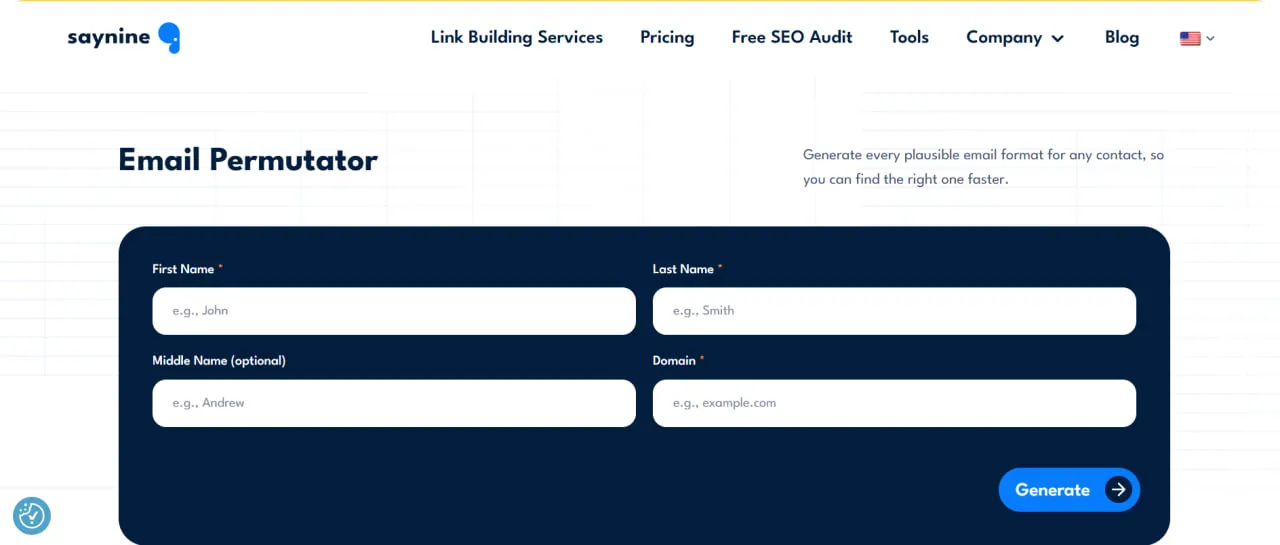
Итоговый Генератор вариантов email turns a person’s name and company domain into 30+ likely email formats.
Итоговый Проверка почты then checks an address’s syntax, mail server, and mailbox live, without sending an email, and gives a low, medium, or high risk verdict.
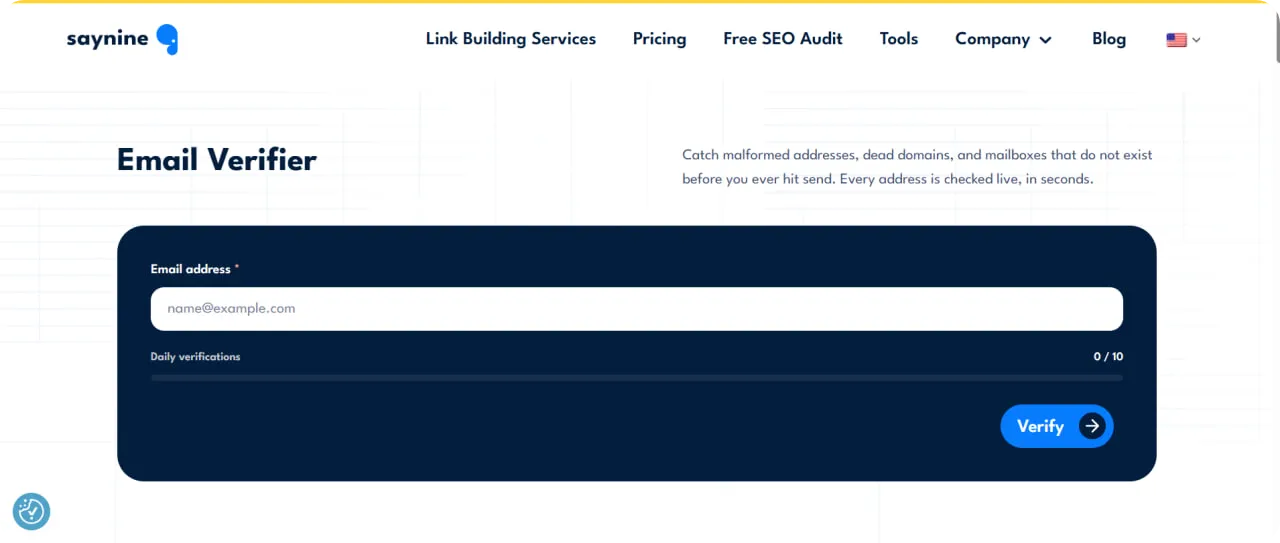
It needs no sign-up and allows 10 checks a day. The two work best together:
- Шаг 1: Enter the person’s first and last name and their work domain in the Email Permutator.
- Шаг 2: Copy the most likely formats.
- Шаг 3: Check them in the Email Verifier and pitch the address that comes back as low risk.
Тестер темы письма
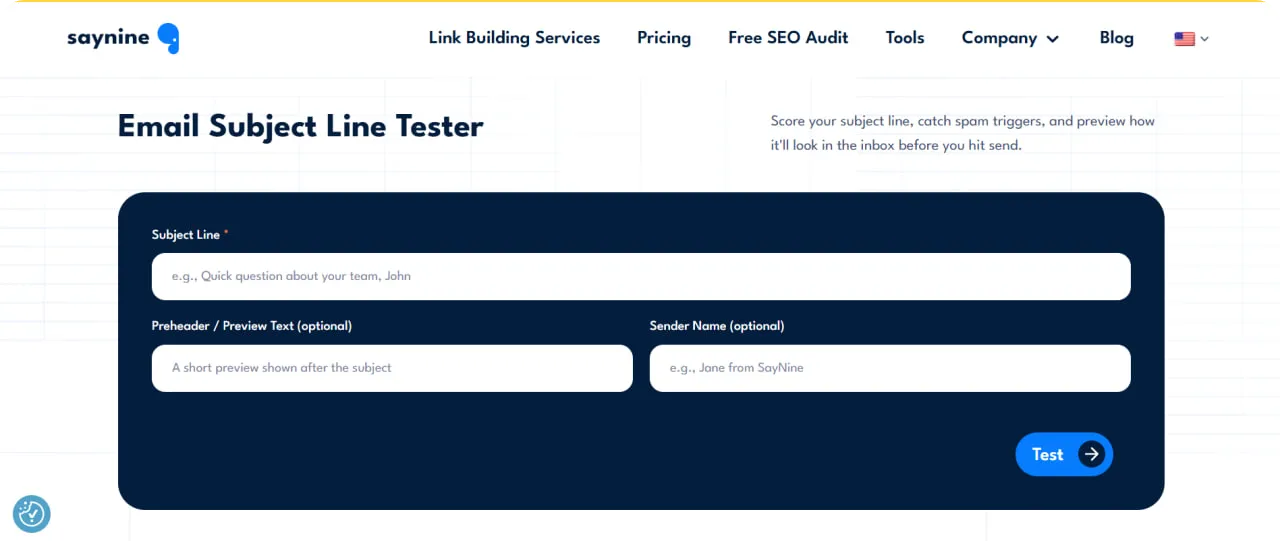
Итоговый Тестер темы письма scores your subject line out of 100 for length, spam triggers, word choice, caps, emoji, and punctuation. It also previews the line in desktop and mobile inboxes and gives suggestions to improve it.
Here’s how to use it:
- Шаг 1: Paste your subject line, plus your preheader and sender name if you have them.
- Шаг 2: Check the score and the suggestions.
- Шаг 3: Look at the desktop and mobile previews, then tweak the line until it reads well.
In short, they’re a simple, free way to find link opportunities and get your outreach ready before you pay for a bigger tool.
Ahrefs
Лучше всего подходит для: backlink analysis and finding competitor link gaps.
Whether you’re new to link building or have years behind you, Ahrefs is one of the most useful tools you can have. Its индексация обратных ссылок updates with fresh data every 15 minutes and holds 35 trillion historical backlinks, so new and lost links show up quickly. That makes it great for backlink analysis, competitor research, and site audits.

Исследователь сайта
Исследователь сайта is where you research any site’s backlink profile.
Here’s how to use it:
- Шаг 1: Open Site Explorer in your Ahrefs account.
- Шаг 2: Enter the domain or URL you want to analyze.
- Шаг 3: Open the Backlinks report under Backlink profile.
- Шаг 4: Check metrics like Domain Rating (DR) and URL Rating (UR).
- Шаг 5: Filter by New or Lost backlinks to track changes.
If you spot a valuable link that was lost, you can contact that site’s editor and ask them to restore it.
Пакетный анализ
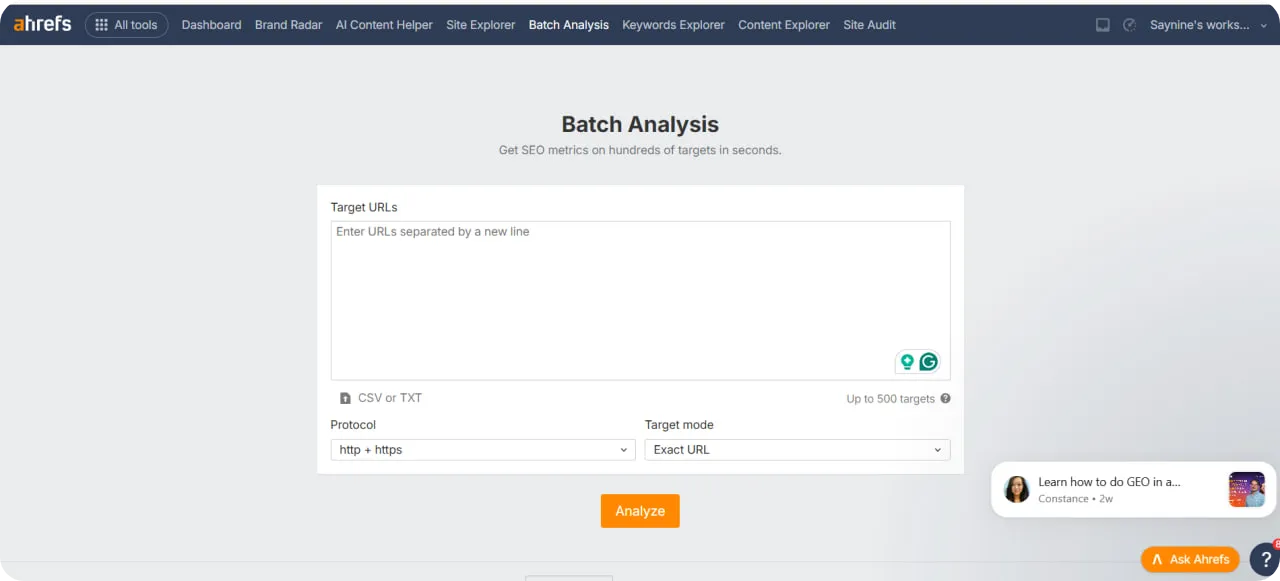
Link builders often need to check many sites at once. Пакетный анализ pulls SEO metrics for up to 200 URLs at once on Standard, and up to 1,000 on Enterprise. Here’s how to use it:
- Шаг 1: Open Batch Analysis.
- Шаг 2: Paste your list of domains or URLs.
- Шаг 3: Run the analysis and compare metrics like organic traffic and DR.
Then you can filter the results by the metrics you need, or export them for deeper analysis.
Пересечение ссылок
Пересечение ссылок shows the sites linking to your competitors but not to you. That’s a gap you can fill, and these sites are often the warmest prospects on your list.
Лучшее по ссылкам
Лучшее по ссылкам shows which pages attract the most links, on your site or a competitor’s. It helps you see what kind of content earns links, so you can create more связываемые ресурсы.
Якоря
Итоговый Докладывает якорь lists the anchor texts of backlinks pointing to a site, so you can spot irrelevant or overused anchors.
Проверка сайта
Ahrefs’ Инструмент SEO-аудита checks your site for SEO issues and recommends fixes.
For a quick look at any site’s backlinks, you can also try the free Проверка обратных ссылок.
Ahrefs Pricing and Plans
Here’s how Ahrefs’ plans compare:
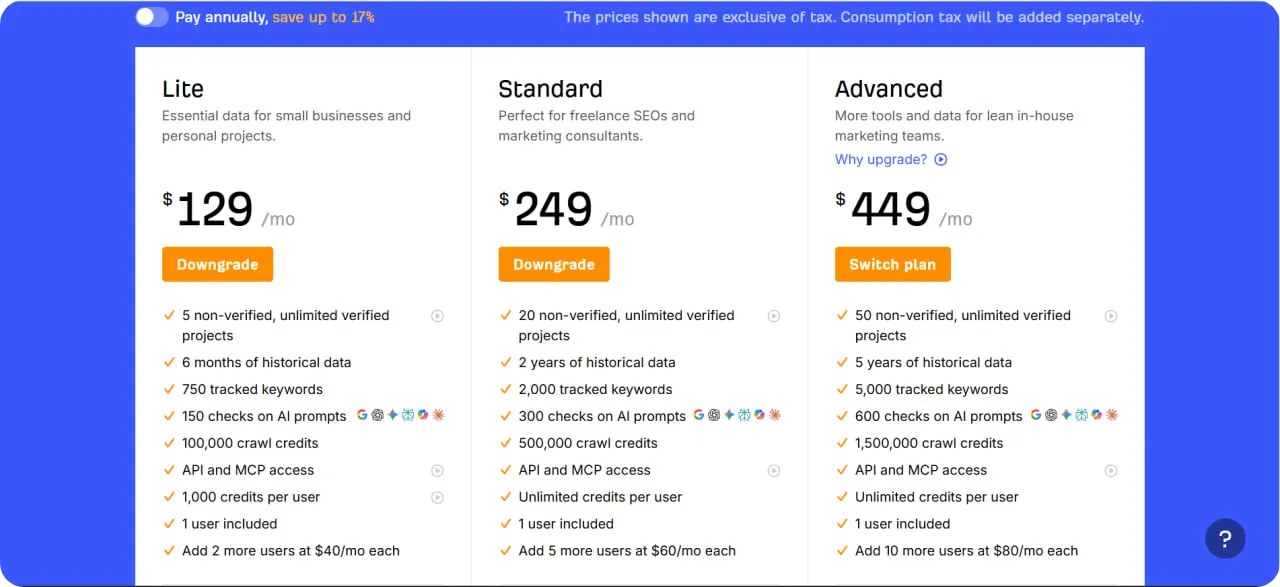
- Ahrefs Free: limited access to Site Explorer and Site Audit for your own site.
- Starter, $29/mo: limited access to Site Explorer, Keywords Explorer, and Site Audit, for those just starting out.
- Lite, $129/mo: Site Explorer, Keywords Explorer, Brand Radar, Site Audit, Rank Tracker, Competitive Analysis, and API and MCP access.
- Standard, $249/mo: everything in Lite, plus Content Explorer and Batch Analysis.
- Advanced, $449/mo: everything in Standard, plus the Looker Studio integration and more.
- Enterprise, talk to sales: adds uncapped API access, custom API endpoints, SSO, and unlimited historical data.
Paying annually saves up to 17%.
Семраш
Лучше всего подходит для: teams that want backlink research, audits, and outreach in one SEO platform.
Semrush is another leading SEO platform that can help you streamline your link building. It’s especially handy if your team already uses it for keyword research, since everything stays in one place.
Аналитика обратных ссылок
Аналитика обратных ссылок shows you any website’s backlink profile. Here’s how to use it:
- Шаг 1: Open Backlink Analytics in Semrush.
- Шаг 2: Enter a domain and search.
- Шаг 3: Review the overview, including total backlinks, referring domains, and Authority Score.
- Шаг 4: Open the Backlinks tab and filter by follow or nofollow, new or lost links, and more.
This data helps you spot backlink gaps and new prospects.
Backlink Gap
Backlink Gap compares your site with up to 5 competitors and shows the sites that link to them but not to you.
Аудит обратных ссылок
Аудит обратных ссылок helps you keep your backlink profile healthy. It gives each link a Toxicity Score, so you can review suspicious links and prepare a disavow file if needed. Here’s how to use it:
- Шаг 1: Open Backlink Audit and set up a project for your domain.
- Шаг 2: Review the links sorted by Toxicity Score.
- Шаг 3: Decide which links to keep, remove, or disavow.
Инструмент для построения ссылок
The Link Building Tool finds prospects from your keywords and competitors, and lets you send outreach and follow-ups from inside Semrush.
Semrush Pricing and Plans
You’ll find the full details on the Semrush pricing page.
- Бесплатно: $0, 1 project, 10 reports a day
- SEO: $139/month ($117/month billed yearly), 5 websites, 500 keywords
- Starter: $199/month ($165/month billed yearly), 5 websites, 500 keywords, 50 AI prompts a day
- Про+: $299/month ($248/month billed yearly), 15 websites, 1,500 keywords, 100 AI prompts
- Advanced: Custom pricing, 40+ websites
Moz Pro
Лучше всего подходит для: teams that want link research and a quick quality check with Spam Score.
Moz Pro is an SEO toolkit that helps you analyze backlink profiles, check the quality of potential links, and find new link opportunities.
Исследователь ссылок
Исследователь ссылок lets you analyze your own or a competitor’s backlink profile, including discovered and lost linking domains. It also shows each linking site’s Spam Score, so you know which ones deserve a closer look. Here’s how to use it:
- Шаг 1: Open Link Explorer in your Moz account.
- Шаг 2: Введите домен, который вы хотите проанализировать.
- Шаг 3: Open the Spam Score view.
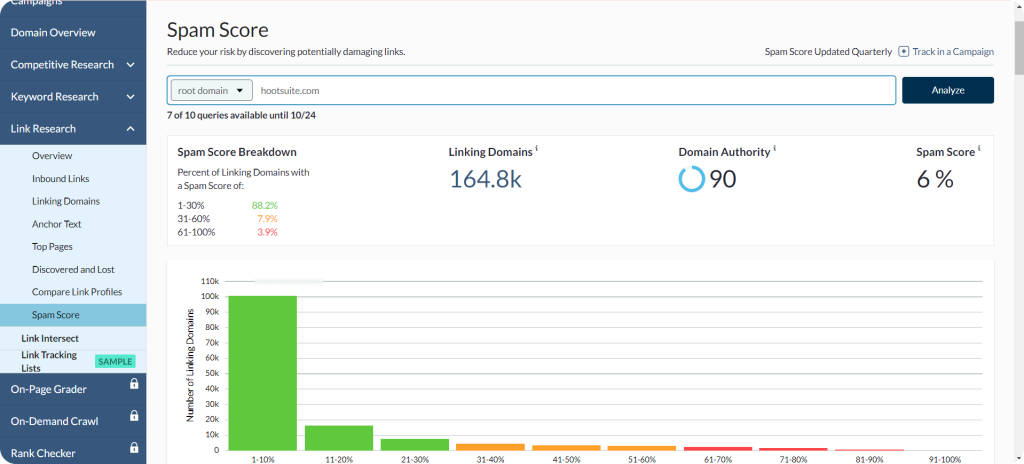
- Шаг 4: Check how many linking domains fall into each Spam Score range.
Moz groups Спам-оценка into three ranges:
- Low: 1–30%
- Medium: 31–60%
- High: 61–100%
A high score doesn’t mean a site is spammy, and Moz says it isn’t a reason on its own to disavow a link. Treat it as a sign to check the site’s content and relevance yourself.
Пересечение ссылок
Пересечение ссылок shows the sites that link to your competitors but not to you. Here’s how to use it:
- Шаг 1: Open Link Intersect in Link Explorer.
- Шаг 2: Введите ваш домен.
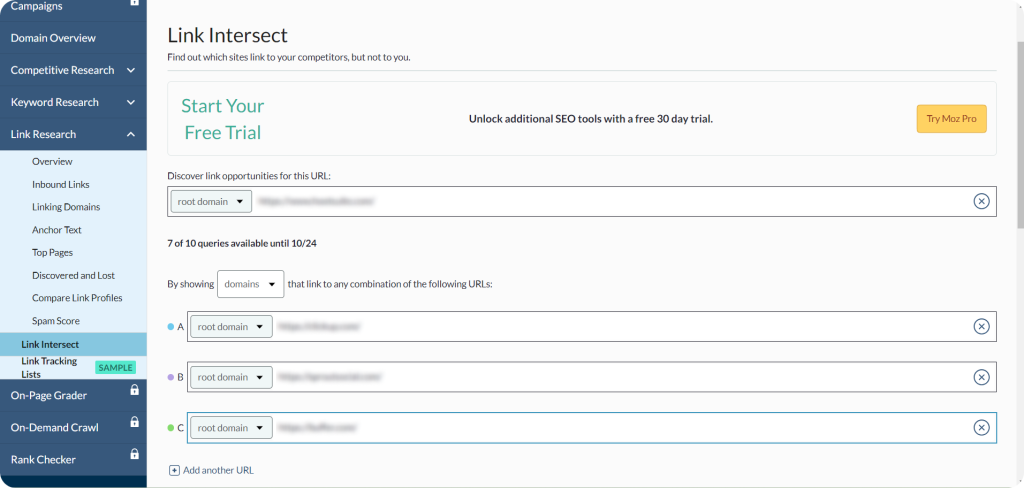
- Шаг 3: Add up to 5 competitors.
- Шаг 4: Click Find opportunities, then sort the results by Domain Authority (DA) or Spam Score.
From there, reach out to the relevant, credible sites on the list.
Обход сайта
Обход сайта monitors your site for SEO issues like broken redirects and missing title tags, so you can fix the ones that matter most first.
Moz Pro Pricing and Plans
You’ll find the full details on the Moz Pro pricing page. A free trial is available; every plan includes AI visibility tracking, and paying yearly saves 20%.
You’ll find the full details on the Moz Pro pricing page. A free trial is available; Standard and up include AI visibility tracking, and paying yearly saves 20%.
- Starter, $49/mo: an entry-level plan for individuals managing a single website.
- Standard, $79/mo billed yearly ($99/mo billed monthly): 1 user, 3 sites, 300 tracked keywords, and 400K pages crawled a month.
- Средний, $143/mo billed yearly ($179/mo billed monthly): 2 users, 10 sites, 1,500 tracked keywords, and 2M pages crawled a month.
- Большой, $239/mo billed yearly ($299/mo billed monthly): 3 users,
Majestic
Лучше всего подходит для: Trust Flow and historic backlink data.
Majestic is a backlink checker that shows how many links a site has and how strong they are, using its own Trust Flow and Citation Flow scores.
Исследователь сайта
Accurate data about your backlinks helps you improve your profile. Majestic’s Исследователь сайта shows the number and quality of a site’s backlinks.
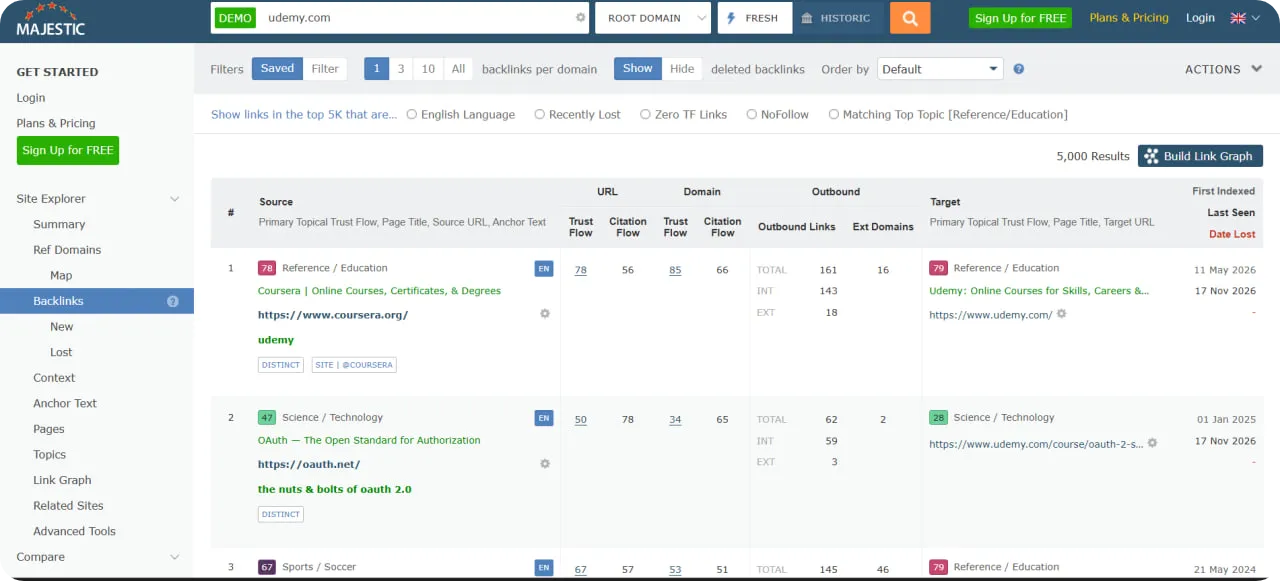
Here’s how to use it:
- Шаг 1: Open Site Explorer and enter the website’s URL.
- Шаг 2: Check the number of backlinks and referring domains.
- Шаг 3: Look at Trust Flow, which measures link quality, and Citation Flow, which measures link volume.
- Шаг 4: Use the New, Lost, Anchor Text, and Topics reports to dig deeper.
This shows you where to focus, whether that’s finding more authoritative sites to pitch or cleaning up spammy links.
Majestic Pricing and Plans
You’ll find the full details on the Величественные цены page. Prices exclude VAT, and Lite and Pro come with a 7-day money-back guarantee for new customers.
- Lite, $49.99/mo ($41.67/mo billed annually): 1 user, with Fresh Index, Site Explorer, Keyword Checker, Bulk Backlink Checker and Trust Flow.
- Pro, $99.99/mo ($83.33/mo billed annually): 1 user, with everything in Lite plus the Historic Index, Index Merger and raw data exports.
- API, $399.99/mo ($333.33/mo billed annually): 5 users, with everything in Pro plus full API access, custom monthly data and the option to create OpenApps.
ListBrew
Лучше всего подходит для: finding listicles that AI search cites, plus contacts and outreach.
ListBrew helps you find and win spots in third-party listicles, buying guides, and articles that AI search engines already cite in your category.
Поиск лидов
ListBrew finds listicles that feature your competitors but not you, and shows each one’s Google ranking position and which AI search engines cite it. Here’s how to use it:
- Шаг 1: Start a campaign with your focus keywords.
- Шаг 2: Filter the results by domain authority, traffic, and relevance.
- Шаг 3: Check which listicles AI engines cite and shortlist the ones worth targeting.
Contact Finder
Once you’ve shortlisted your targets, the contact finder shows the editor’s or writer’s name, title, verified email, and LinkedIn profile, using Hunter.io and Apollo data.
Outreach Sequences
You can send pitches from your own inbox. AI helps you write them; you can track opens and replies, and paid plans add automatic follow-ups.
ListBrew Pricing and Plans
You’ll find the full details on the ListBrew pricing page.
- Free, $0: 50 one-time credits with access to all features, including all AI engines and contact data.
- Solo, $49/mo: 100 credits a month, 1 team member, and 1,500 emails. Covers Google results, Google AI Overviews, and ChatGPT citations.
- Pro, $99/mo: 300 credits a month, 3 team members, and 4,000 emails. Adds Gemini, Perplexity, and Claude citations.
- Agency, $199/mo: 700 credits a month, up to 10 team members and 10,000 emails.
If you pay yearly, you get 2 months free.
Mailmeteor
Лучше всего подходит для: sending personalized outreach from Gmail and Google Sheets.
Mailmeteor is a popular email tool that makes outreach campaigns quick and simple. It works as a Gmail extension and as an add-on for Google Sheets and Excel, so you can send personalized messages from your own inbox.
Персонализированные электронные кампании
Create and send personalized outreach to many recipients using custom fields.
Отслеживание email-кампаний
Track opens, clicks, and replies to see how your outreach is performing.
Google Sheets Integration
Mailmeteor for Google Sheets lets you manage your prospect list right in Sheets. Here’s how to use it:
- Шаг 1: Install Mailmeteor from the Google Workspace Marketplace.
- Шаг 2: Add your contacts to a Google Sheet (name, email address, and other details).
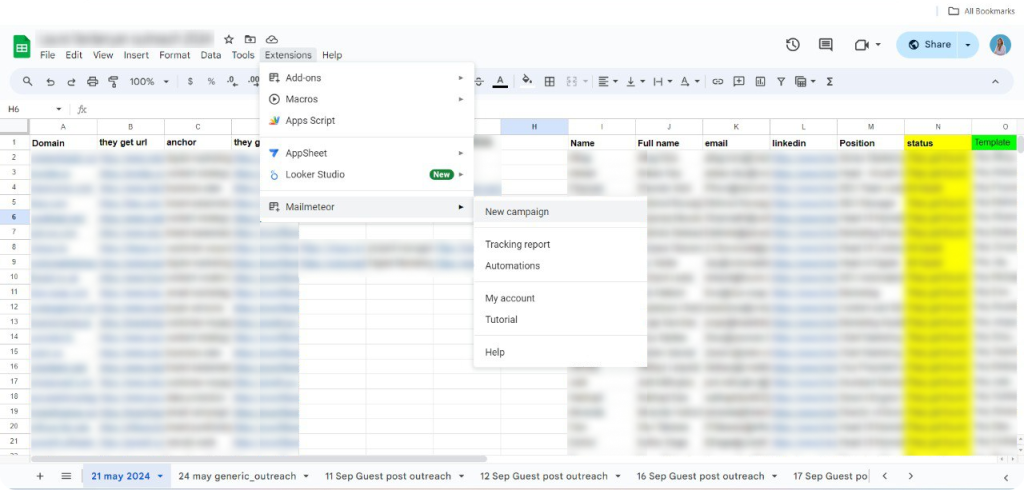
- Шаг 3: Open Mailmeteor from the Extensions menu and start a new campaign.
- Шаг 4: Choose your email template.
- Шаг 5: Add follow-ups (available from the Premium plan).
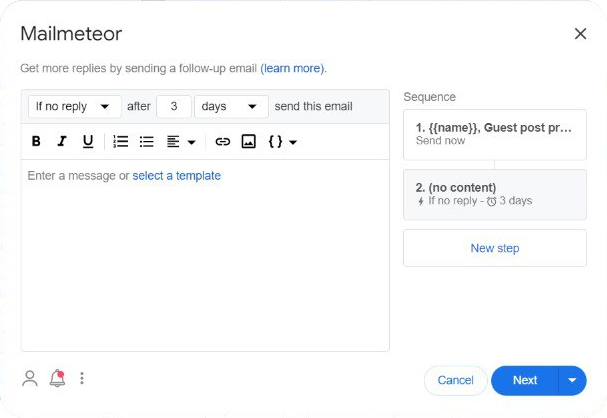
- Шаг 6: Send your emails.
Following a few доставляемость электронной почты tips can help more of your emails land in the inbox.
Mailmeteor Pricing and Plans
You’ll find the full details on the Mailmeteor pricing page. Prices are per user per month, and yearly billing gives you 3 months free.
- Бесплатно: 500 emails a month (50 a day), with email tracking, scheduling, and attachments.
- Starter, $5.99/mo: 5,000 emails a month (250 a day), plus Autopilot sending.
- Premium, $17.99/mo: 30,000 emails a month (1,000 a day), plus follow-ups, Sheets automations, email warmup and a custom tracking domain.
- Pro, $35.99/mo: 60,000 emails a month (2,000 a day), plus inbox rotation and priority support.
Ментихант
Лучше всего подходит для: automated outreach that AI agents can work with.
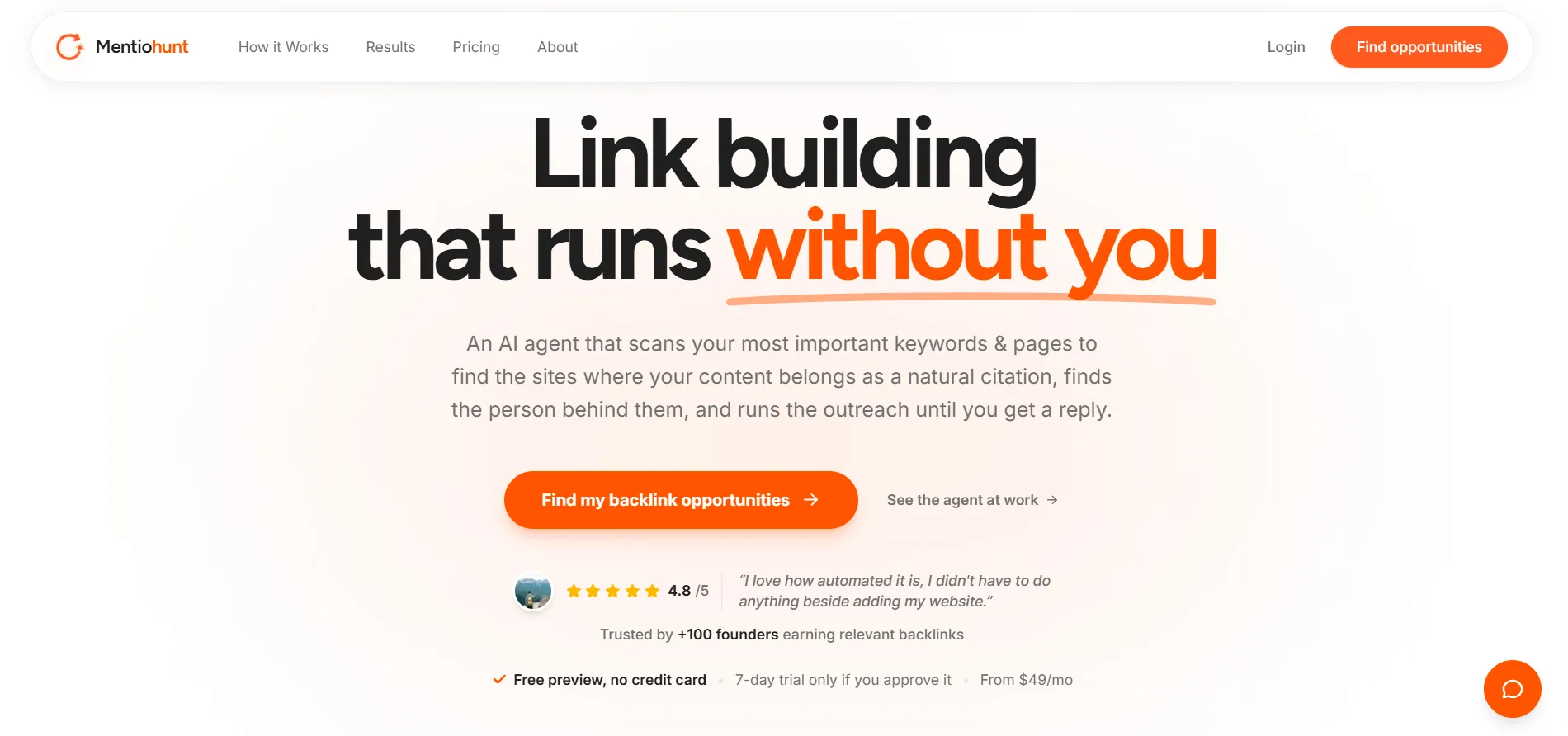
Most tools on this list stop at finding you a link or drafting an email. Ментихант goes a step further. It’s an AI link building agent that finds opportunities and runs your outreach right up to the first reply, and AI assistants can work with your pipeline directly.
Link Building MCP Server
Mentiohunt’s MCP server lets AI agents like Claude, Claude Code, and Codex connect to your backlink pipeline, so you don’t have to copy-paste between a dashboard and a chat window.
You can ask things like “which prospects replied this week?” and get an answer from your live account. There’s a REST API too. Here’s how to use it:
- Шаг 1: Open Settings, then Agents, in your Mentiohunt account.
- Шаг 2: Create a key and connect it to your AI assistant.
- Шаг 3: Ask about your prospects, replies and reply rate.
By default, an agent can only look things up. If you create a key with sending turned on, it can also reply to prospects who have already written back, from your own inbox.
Automated Outreach
Underneath the agent layer, Mentiohunt does the core job. It scans your most important keywords and pages, finds around 25 backlink opportunities a day, finds the site owner’s contact, and schedules outreach automatically.
Emails go out from Mentiohunt’s warmed sending pool, not your own domain, and once a prospect replies, the thread moves to your inbox so you can take it from there. If you’d rather approve every email first, you can turn on review mode.
Mentiohunt Pricing and Plans
You’ll find the full details on the Mentiohunt pricing page. There’s a free preview with no card needed, and a 7-day $0 trial once you start outreach.
- Pro, $49/mo: 1 website, 10 competitors tracked, around 25 backlink opportunities a day, and MCP and API access.
- Агентство, $99/mo: everything in Pro, plus up to 5 websites sent from one shared mailbox and up to 15 competitors tracked.
БаззСтрим
Лучше всего подходит для: running outreach campaigns from one CRM.
Personalized outreach is key to successful link building, but it can take a lot of time. BuzzStream helps you keep the whole process in one place. It helps you:
- Найти потенциальных клиентов для построения ссылок и их адреса электронной почты.
- Write personalized outreach emails and automate follow-ups.
- Track replies and the progress of your campaigns.
- Monitor the links you’ve earned.
It also has ListIQ, a new AI-driven tool for building media lists.
Prospect Research
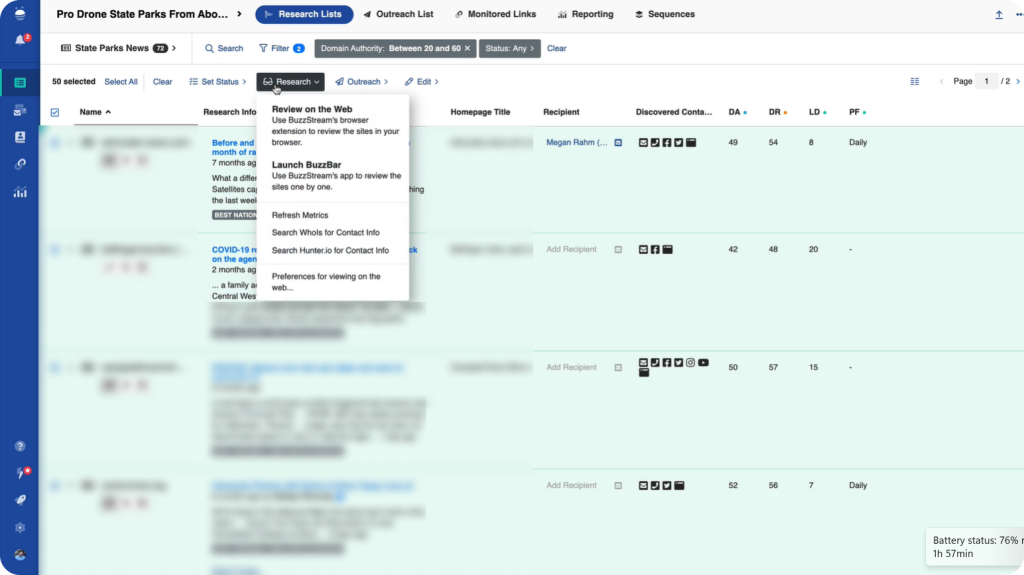
BuzzStream’s research tools turn search results into a ready-to-pitch prospect list.
Here’s how to use it:
- Шаг 1: Turn any SERP or list of URLs into a prospect list.
- Шаг 2: Let BuzzStream find contact information, social profiles, and website metrics.
- Шаг 3: Qualify the list and add the best contacts to your outreach campaign.
If you’re new to pitching, our построение ссылок извне guide covers how to write emails that get replies.
BuzzStream Pricing and Plans
You’ll find the full details on the BuzzStream pricing page. Plans are monthly with no contract, Starter, Growth, and Professional come with a free trial, and paying 12 months upfront gets you one month free.
- Starter, $49/mo: 1 user, 500 contacts, and link monitoring for 1,000 links.
- Growth, $174/mo: 3 users ($58 per extra user), 25,000 contacts, bulk sending, automated follow-ups, an Ahrefs integration, and link monitoring for 25,000 links.
- Профессиональный, $424/mo: 6 users ($70 per extra user), 100,000 contacts, API access, a dedicated account manager, and link monitoring for 100,000 links.
- Пользовательский, from $999/mo: 12+ users and 300,000+ contacts, built around your needs.
Питчбокс
Лучше всего подходит для: agencies running prospecting and outreach at scale.
Питчбокс covers prospecting, outreach, and a link building CRM in one platform. It’s made for teams building 20+ links a month, from solo in-house SEOs to agencies managing many clients.
Link Building Prospecting
Pitchbox’s prospecting feature (https://pitchbox.com/product/link-building-prospecting/) turns a keyword, a competitor, or a list into qualified prospects. Here’s how to use it:
- Шаг 1: Start from a keyword, a competitor’s backlinks, or an uploaded list.
- Шаг 2: Connect Ahrefs, Semrush, Moz, or Majestic to pull their metrics into your campaign.
- Шаг 3: Set thresholds like minimum DR or organic traffic, and Pitchbox filters every result for you.
Outreach and Follow-Ups
With Pitchbox outreach (https://pitchbox.com/product/outreach-follow-up/), you build a multi-step sequence and Pitchbox handles the sending. Here’s how to use it:
- Шаг 1: Write your email using templates and AI personalization for each prospect.
- Шаг 2: Set your follow-up steps and the days between them.
- Шаг 3: Launch, and Pitchbox schedules and spaces every send and follow-up for you.
Campaign Management
Pitchbox integration options let you manage replies in one inbox, track campaign results, and connect with Zapier, Slack, and Looker Studio.
Pitchbox Pricing and Plans
Проверьте Цена Pitchbox for full details. Paying annually saves about 30%.
- Pro: $210/month billed annually ($300/month billed monthly).
Includes 2 users, 2 email accounts, 2,000 outreach emails, and 1 workspace, plus prospecting, contact discovery, outreach, and auto follow-ups. - Advanced: $420/month billed annually ($600/month billed monthly).
Includes unlimited users, 6 email accounts, and 5,000 outreach emails, plus email rotation, deliverability monitoring, and API access. - Размер: $825/month billed annually ($1,200/month billed monthly).
Includes unlimited users, 20 email accounts, and 25,000 outreach emails, plus advanced automations, multi-region sending, and an approval workflow. - Enterprise: Custom pricing. Includes SSO and an SLA.
FAQ по лучшим инструментам для построения ссылок
What are the best link building tools?
For prospecting, Ahrefs, Semrush, Moz, and SayNine’s free Competitor Backlink Gap Report show where competitors get links that you don’t. For outreach, BuzzStream, Pitchbox, or Mailmeteor help you send pitches and track follow-ups, so nothing slips through the cracks.
Как построить обратные ссылки?
You can build backlinks through guest posts on relevant sites, digital PR, resource pages, and content that’s genuinely worth linking to. Avoid buying links or excessive link exchanges, since Google’s spam policies treat them as link spam.
Which backlinks are best?
The best backlinks come from relevant, trusted sites in your niche, where an editor chose to link to your page from inside their content. Descriptive anchor text helps too, since it tells readers and Google what your page is about.
Are there free link building tools?
Yes. SayNine’s free tools, Ahrefs Free (for sites you’ve verified), and the free plans from Semrush and Mailmeteor cover the basics. They’re a good way to test your process before paying for a full plan.
Какие инструменты вы используете для создания ссылки?
No tool creates a link on its own. Tools like Ahrefs, Semrush, Moz, and BuzzStream help you find the right sites and pitch them, but the link itself comes from an editor who decides your page is worth citing.
Имеют ли обратные ссылки какое-либо значение в SEO?
Yes. Google says it uses links as a signal to judge how relevant pages are and to find new pages to crawl, so earning good links is still a core part of SEO.


Викторина
Давайте проверим ваши знания.
Оставьте свой адрес электронной почты ниже, чтобы получить сертификат SayNine!
Вы уверены?